


Business Price Promise
We won't be beaten on price




SONOS PLAY:3 Wireless Smart Sound Multi-Room Speaker - White
- Product code:
- N366936W | SNSPLAY3UK1@DSG
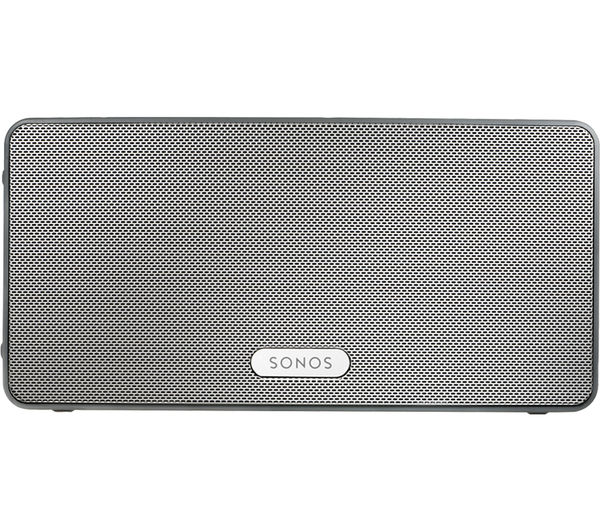
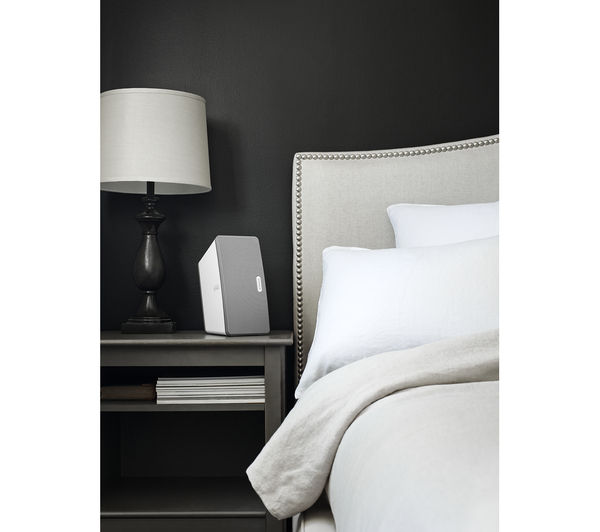
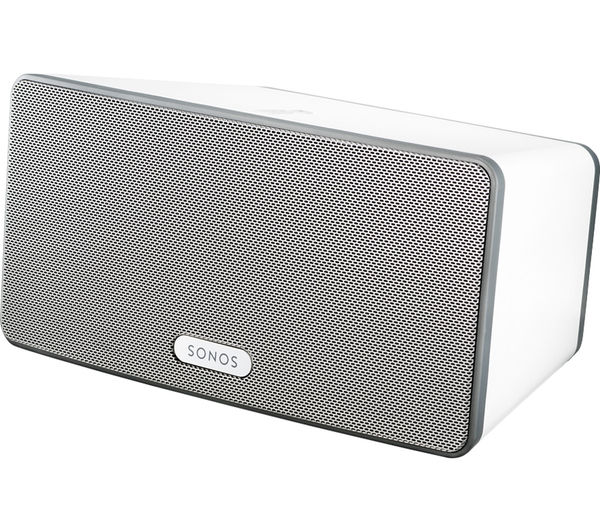
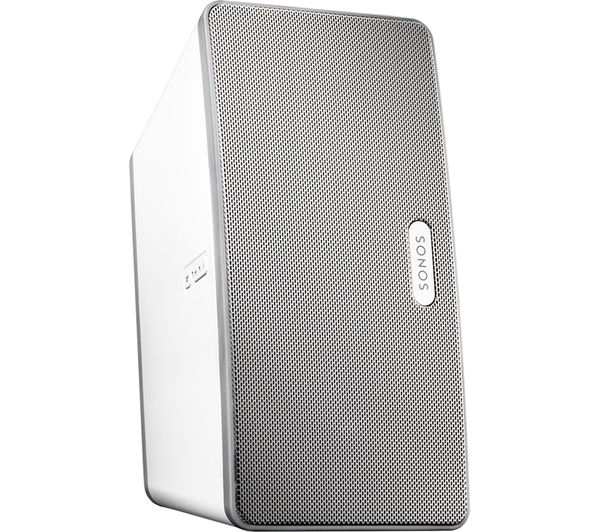
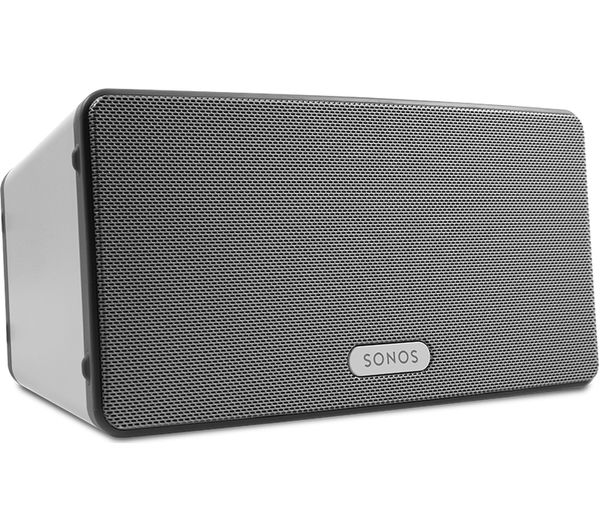

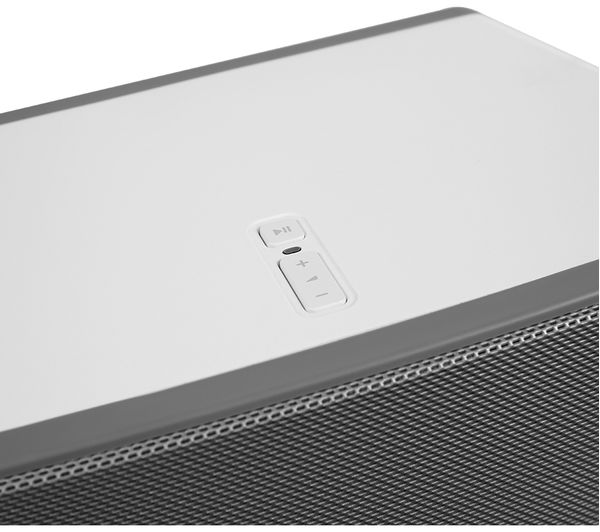

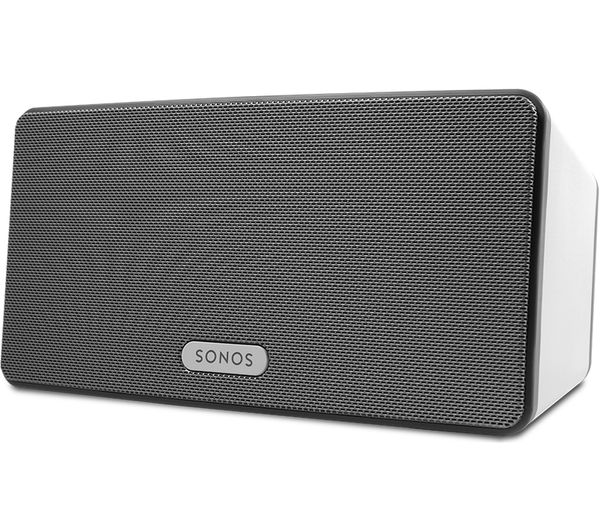
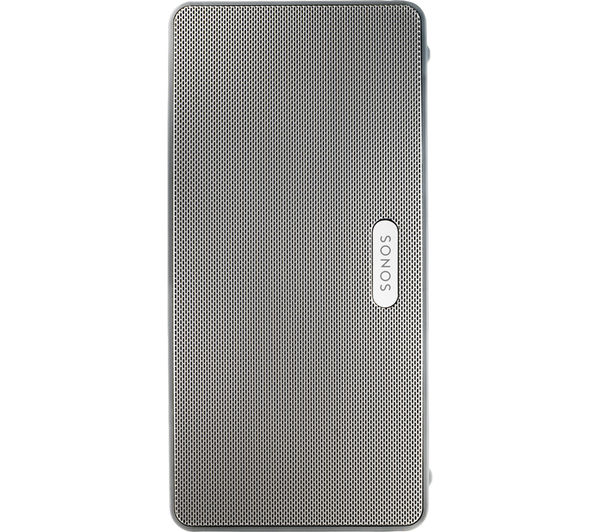
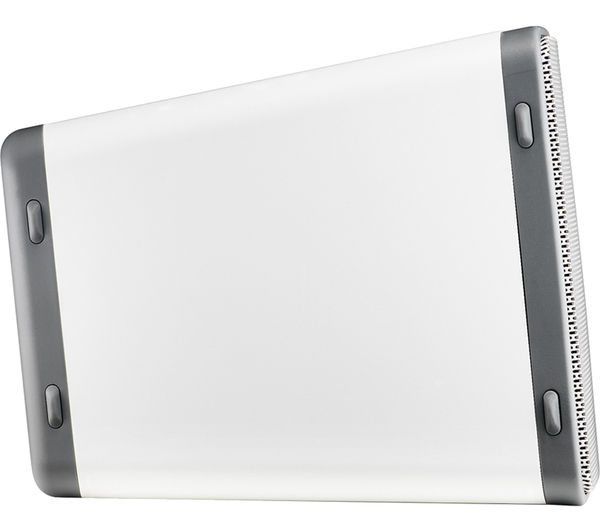
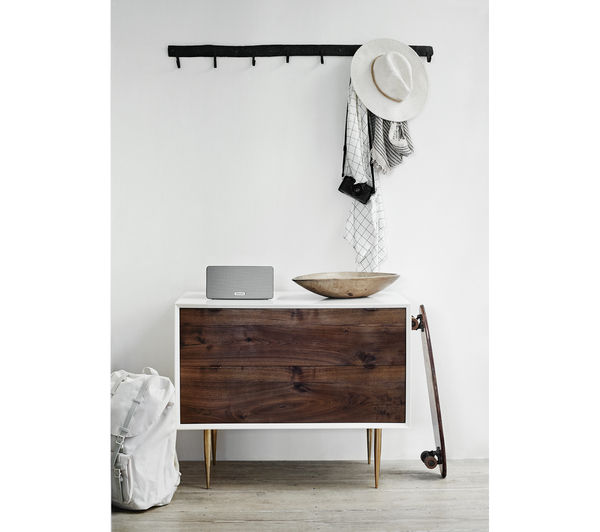

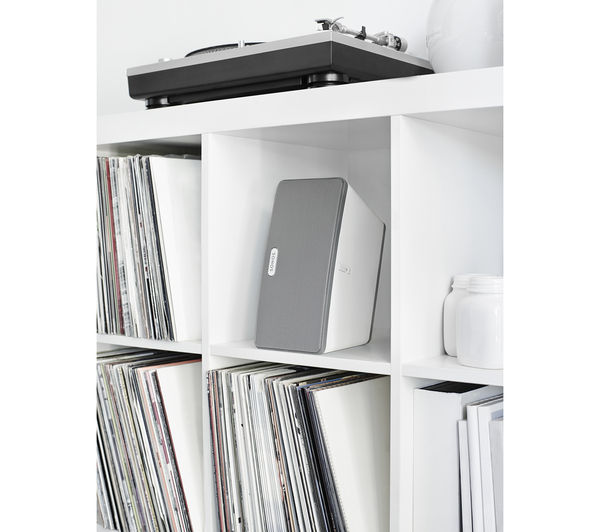
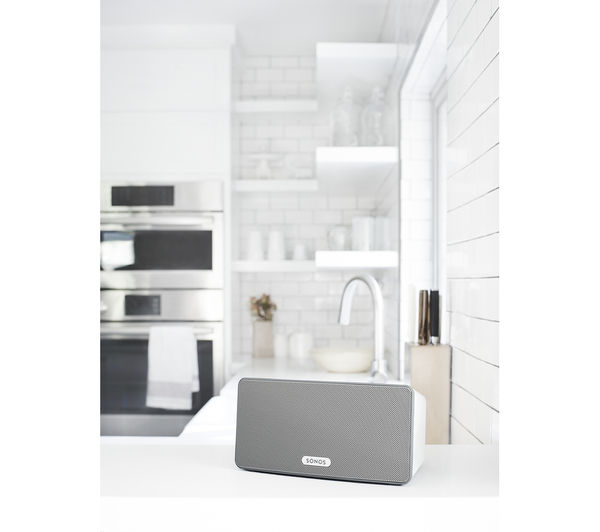
- Compatible with Sonos Multi-room music system
- Wireless Hi-Fi sound anywhere in your home
- Uses your home WiFi network
- Control via the Sonos controller app on phone/tablet and PC

SONOS PLAY:3 Wireless Smart Sound Multi-Room Speaker - White

Sorry, this item is currently out of stock.
Sorry, this item is currently out of stock.
Don't worry, we've got loads of great alternatives! Explore our full range of available Wireless speakers.
Business Price Promise
Buy from us safe in the knowledge you’ve paid a great price.
If you find Argos, John Lewis, AO.com or eBuyer.com has the same product at a cheaper price, including voucher offers, we’ll match it – even up to 14 days after purchase.
Learn more
Product information
Have an entire music library at your disposal with the tasteful, flexible Sonos PLAY:3 Wireless Smart Sound Multi-Room Speaker. The award-winning Sonos wireless multi-room system is easy to set up and use; start with one speaker and add more over time. With the free Sonos app on your phone or tablet, you can control and play your music, use music streaming services like Spotify or listen to more than 100,000 free internet radio stations.
So what is Multi-Room?
Expand your home audio experience with Multi-Room technology. Play almost any music track from any source - your personal collection, a streaming service or your phone - in any room you choose, all controlled by your Smartphone.
The simplest way to get started is to download the free Sonos app and then follow the simple instructions.
Multi-Room offers the ultimate in audio convenience and control. Manage your music on one device and build your system by adding other compatible Multi-Room speakers and components made by the same brand.
Rock around the clock
Music playback potential is seemingly endless with the Sonos PLAY:3 Wireless Multi-Room Speaker,as you have a variety of sources at your disposal and comfort.
With access to up to sixteen devices, you can make the most of iTunes access, Internet radio streaming, a host of music services, as well as playlists from various sources. The world is your oyster when it comes to music playback!
Connect your speakers more freely
An amazing new addition to the capabilities of the Sonos system, Sonos have now released a free upgrade available on all new and already purchased Sonos systems. With this Sonos update you won't need a Sonos BRIDGE for Multi-Room playback between your speakers, making things even simpler.
You will be prompted on the Sonos Controller app that an update is required.
Now you can play music in sync between rooms on Sonos speakers, or play different tunes in each room all from your Apple device. You can now allow up to 32 people to add music to a playlist in any room using their own iPhone, to create wonderfully interactive party nights.
Please note that if you're using a Sonos PLAYBAR with a subwoofer or wish to build a 5.1 home theatre system, you'll still need to use the BRIDGE.
Sonos Android compatibility
Play music from your Android phone or tablet through your Sonos wireless device. If you have Android 2.1 or higher (Android 2.2 and higher is required for podcasts), it only takes three easy steps. Update your Sonos Controller for Android to software version 4.1.1 - the rest of your Sonos components do not require an update.
When you've confirmed your Android device is on your home wireless network, launch the Sonos Controller App. Select ‘This Mobile Device' from the Music menu and see all your device's music, playlists and podcasts ready for playback on your Sonos device.
Wireless and Ethernet capabilities
If you choose to operate your Sonos PLAY:3 wirelessly then you can use your Ethernet port for plenty of other functions as you can bring standard Internet connectivity to your PC, set-top box, DVR, game console or network hard drive. This enhances the device's practicality, whilst giving you a whole host of connectivity options.
Big things do come in small packages
Sporting a sleek, cool white colour, the Sonos PLAY:3 not only delivers in terms of practicality but style too.
Use your Sonos PLAY:3 Wireless Multi-Room Speaker wherever in the house as its compact size allows for balanced horizontal or vertical use, fitting in your house near a power socket wherever you like!
You have the power
Turn your Android, iPhone or iPad into a remote control with a downloadable app for ease-of-use through the practical wireless connection, for modish functionality between devices.
For practical, exciting and varied music playback, look no further than the Sonos PLAY:3 Wireless Multi-Room Speaker. You will never run out of content to play while revolutionising the way you enjoy your audio!
Apple Music now compatible with Sonos
_______________________________________________________
PLEASE NOTE:
- Tracks downloaded direct from the Google Play Store are not immediately available for playback. To play these tracks through Sonos, you must download them from Google Play to a computer, and then transfer them to your Android device's Music folder.
- A Spotify Premium subscription is required to access your Spotify account within Sonos device, and your Sonos software should be upgraded to at least version 4.1.
SONOS PLAY:3 Wireless Smart Sound Multi-Room Speaker - White, Compatible with Sonos Multi-room music system, Wireless Hi-Fi sound anywhere in your home, Uses your home WiFi network, Control via the Sonos controller app on phone/tablet and PC
Specifications
Basic Specifications
- Manufacturer's Part Number
- SNSPLAY3UK1@DSG
- EAN
- 8717755771346
- Model
- Sonos PLAY:3
Overview
- Type
- Wireless multi-room speaker
- Colour
- White
General
- Box contents
- - Sonos PLAY:3 Wireless Smart Sound Multi-Room Speaker
- Power cord
- Flat ethernet cable
- Sonos Quickstart guide - Dimensions
- 132 x 268 x 160 mm (H x W x D)
- Weight
- 2.6 kg
- Manufacturer’s guarantee
- 2 years
Features
- CD player / changer
- No
- Other features
- PLEASE NOTE: A Spotify Premium subscription is required to access your Spotify account within Sonos device, and your Sonos software should be upgraded to at least version 4.1.
- Top-panel lights: indicate ZonePlayer status and mute status
- Top-panel buttons: volume and muteSOFTWARE UPDATE:Sonos have released a free upgrade available on all new and already purchased Sonos systems. This software update enables multi-room speaker configuration without the need for a Sonos BRIDGE system.You will be prompted on the Sonos Controller app that an update is required.You can set up a multi-speaker system by starting with one speaker and adding as many as you like, controlling everything from your compatible smartphone or tablet.Please note that if you’re using a Sonos PLAYBAR with a subwoofer or wish to build a 5.1 home theatre system, you’ll still need to use the BRIDGE.PLAYBACK:Sonos has the same technology as AirPlay and Bluetooth, playing music directly from your iPad, iPhone or iPod touch with iOS6 or later. With this Sonos update you can play music in sync between rooms on Sonos speakers, or play different tunes in each room all from your Apple device.You can now allow up to 32 people to add music to a playlist in any room using their own iPhone.Compatible with Android devices, you can play music from your Android phone or tablet through your Sonos wireless device. If you have Android 2.1 or higher (Android 2.2 and higher is required for podcasts), it takes three easy steps. Update your Sonos Controller for Android to software version 4.1.1
- the rest of your Sonos components do not require an update.When you''''''''''''''''ve confirmed your Android device is on your home wireless network, launch the Sonos Controller App. Select ‘This Mobile Device’ from the Music menu and see all your device’s music, playlists and podcasts ready for playback on your Sonos device.
Connectivity
- Wireless
- Yes
- USB
- No
Performance
- Number of speakers
- 1 (includes 1 x tweeter, 2 x mid-woofers and 1 x bass radiator)
- Amplifier
- Class-D digital amplifiers x 3
Delivery FAQs
Next Day delivery
- Get next day delivery on small items
- Items that qualify are clearly labelled - just order before 5pm
- Postcode restrictions may apply, read our full terms and conditions
Cost:
Standard delivery is free on small items over £40 ex VAT. Large items (large kitchen appliances and some TVs over 40") do not qualify for standard delivery. There are a variety of free and chargeable delivery options for these items detailed during the checkout process.
How long does delivery take?
- Well send your order ASAP and give you a heads-up on delivery times before you check out
- For large items, select your preferred date and time at checkout
- Easily track your order or get a text message ETA (when available)
Installation and recycling information
- Get hassle-free installation and recycling on large items at checkout
- For recycling, please disconnect your old appliance before our team arrives (unless you've also purchased an installation)
- For installations, our expert team will disconnect your old appliance, install your new item and connect it to existing services within one meter. Magic.
Please note: We can only install items on domestic premises, as our installers aren't authorised to install any items commercially
Price Match
We'll match against any other UK retailer store or website price including offer-code discounts.
How to request a business price match
We promise to match the competitor’s price available when you contact us. To request a price match for:
Information you’ll need
If you have already purchased you’ll need your receipt, the competitor you want us to match and details of any relevant voucher offers.
If you have not yet purchased you’ll need; the product code (available on the product page), our price, the competitor you want us to match and details of any relevant voucher offers.
We’ll even price match 7 days after your purchase!
Here’s how to get a price match if you’ve already bought:
If you see the same item cheaper elsewhere, within 7 days of buying from us we’ll refund you the difference.
If you bought online: call us on 0344 561 6789 and have your receipt handy.
Price Promise terms & conditions
We'll match against any other UK retailer store or website price including offer-code discounts. We’ll match the prices of any products (not delivery, installation charges, product protection plans or other services) offered on identical terms and where we can check the price and stock position. Our competitor’s product must be the same model number as ours. Both us and the competitor must have the product in stock and ready for delivery. We do not match competitor’s ink prices, trade, membership & 3rd party market place sellers.
Limited to maximum five units per order or transaction. Cannot be used with any other offer.


VAT number: 226 6599 33
